How to Choose the Right Youcanic Scan Tool for Your Vehicle
Lillian Ashbaugh
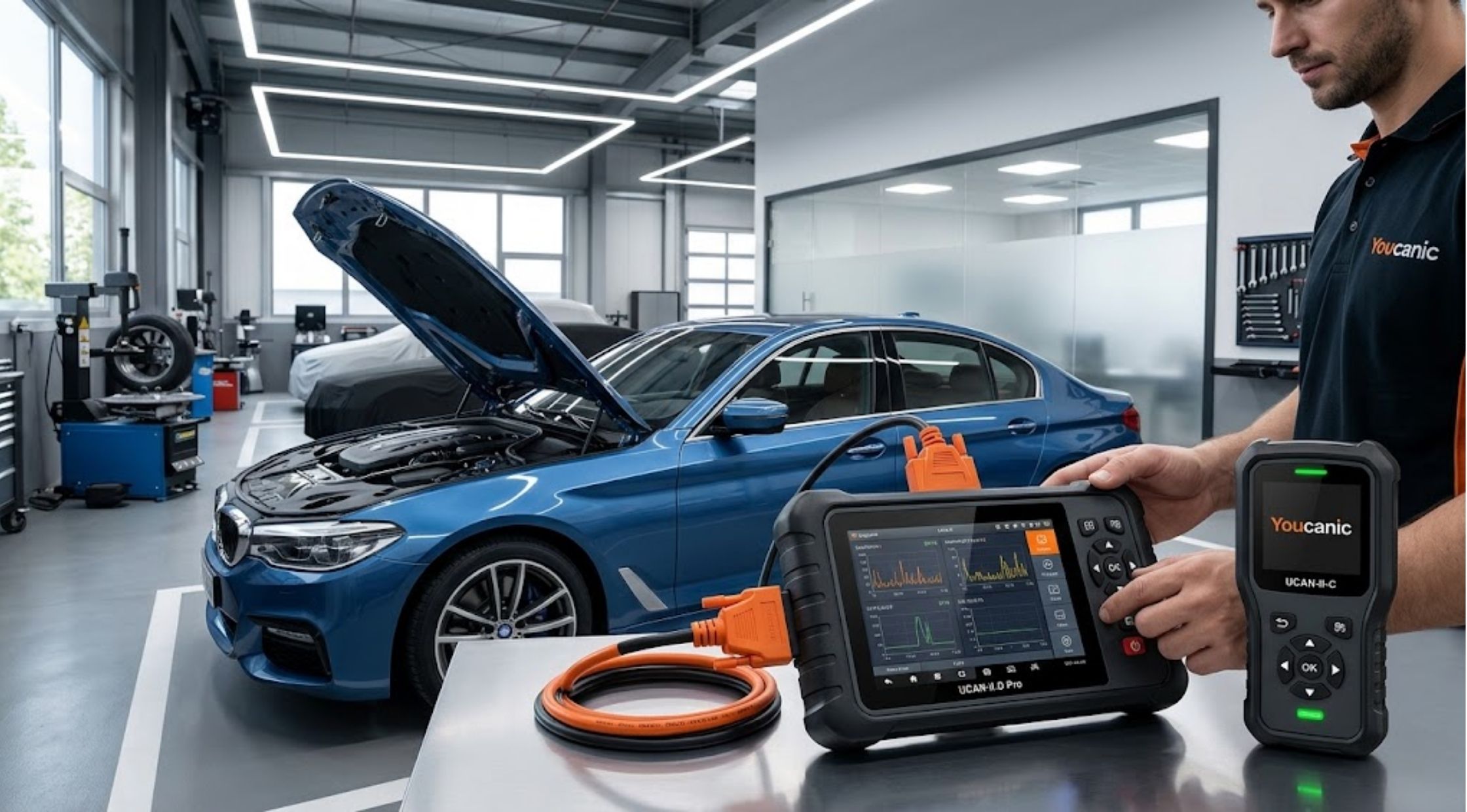
When it comes to choosing the right youcanic scan tool for your car, there are several factors to consider.
When it comes to choosing the right youcanic scan tool for your car, there are several factors to consider.
Today, many electronic systems are used to monitor the performance, safety and comfort of modern vehicles. If a warning light is on, this can save time and unnecessary parts replacement if we identify the cause of the warning.
A diagnostic scanner can be a great tool to help vehicle owners and mechanics decode trouble codes and vehicle data. Youcanic provides diagnostic tools that are available to both the do-it-yourselfer and the professional automotive diagnostician, and include everything from simple code reading to more comprehensive diagnostics.
Diagnostic Scanner Selection & Scan Tool Rentals
How to Choose the Right Diagnostic Scanner
First, think about what you're really looking for in order to diagnose. If you just want to read the common engine fault codes, then a basic scanner may suffice.
More advanced users may require access to systems like transmission, ABS, airbags, TPMS, body modules or hybrid systems.
Live data, service functions, bi-directional controls, vehicle coverage, update policies and ease of use are other factors to consider.
There are a number of different scanners available from Youcanic and comparing these features against the requirements can help to narrow down the selection.
How to Understand a Scan Tool Rental
An expensive tool may not always be the most beneficial purchase if you need a diagnostic scanner only for a particular repair. You don't always have to buy a scan tool; it can be rented out for a limited amount of time.
Youcanic is now available to rent UCAN-II-C full-system scanner. The rental listed is for 7 days and includes return shipping.
These can be helpful for determining a specific vehicle issue, for a repair job, or for testing several parts or systems in a brief project.
Make sure to research the rental time, minimum deposits, vehicle types allowed, accessories provided, and the return procedure prior to renting.
Professional Capabilities & Vehicle Compatibility
How to Choose a Professional Scan Tool
A professional scan tool should more than just extract check-engine-light codes.
Advanced features may include full-system diagnostics, live data, coding, service resets and bidirectional testing, depending on the vehicle and scanner.
The Youcanic's UCAN-II-D Pro also equips it with bidirectional controls, coding, service functions, TPMS programming and AI-assisted diagnostic information, among other features for full system diagnostics.
But what good does the pro-level stuff do if it isn't supported on the car? Test for compatibility prior to purchase.
How to Check Vehicle Compatibility
When selecting a scanner, one of the initial points you ought to consider is vehicle coverage.
Begin with your vehicle's:
- Make
- Model
- Year
- Engine
- Vehicle system
- Required diagnostic function
Your vehicle may be compatible with a scanner for basic diagnostics, but not for all advanced functions.
Youcanic has a scanner/vehicle compatibility checker that allows you to choose your car and scanner, and then check what features are supported.
Compatibility checks are a way to avoid any unforeseen limitations.
OBD2 Rental Options & Feature Comparisons
Understanding OBD2 Scanner Rental Options
On the other hand, if you require a good diagnostic tool for a short period, an obd2 scanner rental may be helpful.
This is especially true for those who are working in a garage on their own who are trying to fix up one car instead of a number of cars on a regular basis.
The rental scanner is designed for more detailed diagnostics than a standard engine code reader and is called Youcanic. It has a number of capabilities listed including full system scanning, bidirectional controls, live data and multiple service functions.
Before ordering an obd2 scanner hire, make sure that the hire obd has the same functionality and system that you are looking for.
How to Compare the Features of Scanners
Don't select a diagnostic tool because it has a list of features on its product page.
Rather, determine which functions are necessary for you to use.
A simple DIY user might want to focus on simple code reading and live data. Coding, bidirectional testing, service resets and more system coverage may be required by a technician.
Youcanic also offers diagnostic guides, information on repairs and technical support to its scanners.
This extra data may be helpful to understand the diagnosis if that is desired.
Responsible Usage & Rent vs. Buy Analysis
Using a Diagnostic Scanner in a Responsible Manner
A scan tool gives information, a trouble code does not always tell you what the problem is.
Do more testing on top of diagnostic codes. Prior to part replacement, check various sensors, wiring, connectors, mechanical parts, and manufacturer-specific diagnostic procedures.
When you don't know a specific system, see a qualified technician or trustworthy repair documentation.
The Choice Between Renting and Buying
The choice between renting and purchasing is more a matter of how often you'd like to use the scanner.
If you are performing occasional repairs or a one-off diagnostic project, it's worth hiring a scan tool. If you work on vehicles continuously or need a scanner on hand whenever trouble arises, you may be better off buying a scanner.
Youcanic is available for rental or purchase, which may also differ according to the user's diagnostic requirements.
Before deciding, compare the total rental cost, purchase price, the functions that are supported, and the frequency of use.
Setting Up Your Complete Diagnostic System
A scanner is just one component of a valuable car diagnostic toolbox.
Depending on the work you perform, you will also need a multimeter, battery tester, repair information, wiring diagrams, basic hand tools and the appropriate safety gear.
If you're looking for more sophisticated work, then having access to reliable repair guides can help take you from diagnosing a fault code to the real cause.
Youcanic brings together diagnostic tools, repair guides and education to aid vehicle troubleshooting.
Conclusion
Final Thoughts
Before selecting the automotive scanner, you must have an understanding of your vehicle and what type of diagnosis you need to conduct.
For short-term use of sophisticated equipment, a scan tool rental or obd2 scanner rental might be an option. For more challenging tasks, a professional scan tool can offer more capabilities for regular diagnosis.
When renting or buying from Youcanic, verify vehicle compatibility, functions required, rental requirements, and support options.
These are all factors you should consider when getting your diagnostic setup so that you're not paying for something you don't need.
Comment:
Your email address will not be published. Required fields are marked *
Related Posts

Oct 12, 2026
How to Choose the Right IceCartel Jewelry for Your Style
Jewelry is able to transform a whole outfit.

Oct 12, 2026
How to Choose a Komuso Design Breathing Necklace
You can see the importance of a necklace in a fantastic Komuso Design at a glance.

Oct 12, 2026
How to Choose the Right Forlest Bras for Comfort and Fit
Selecting the right Forlest bra for wear and fit is a straightforward process to follow.